HP - How to setup Scan To Email
See below for steps on how to setup the Scan To Email feature for kyocera E-Studio MFPs
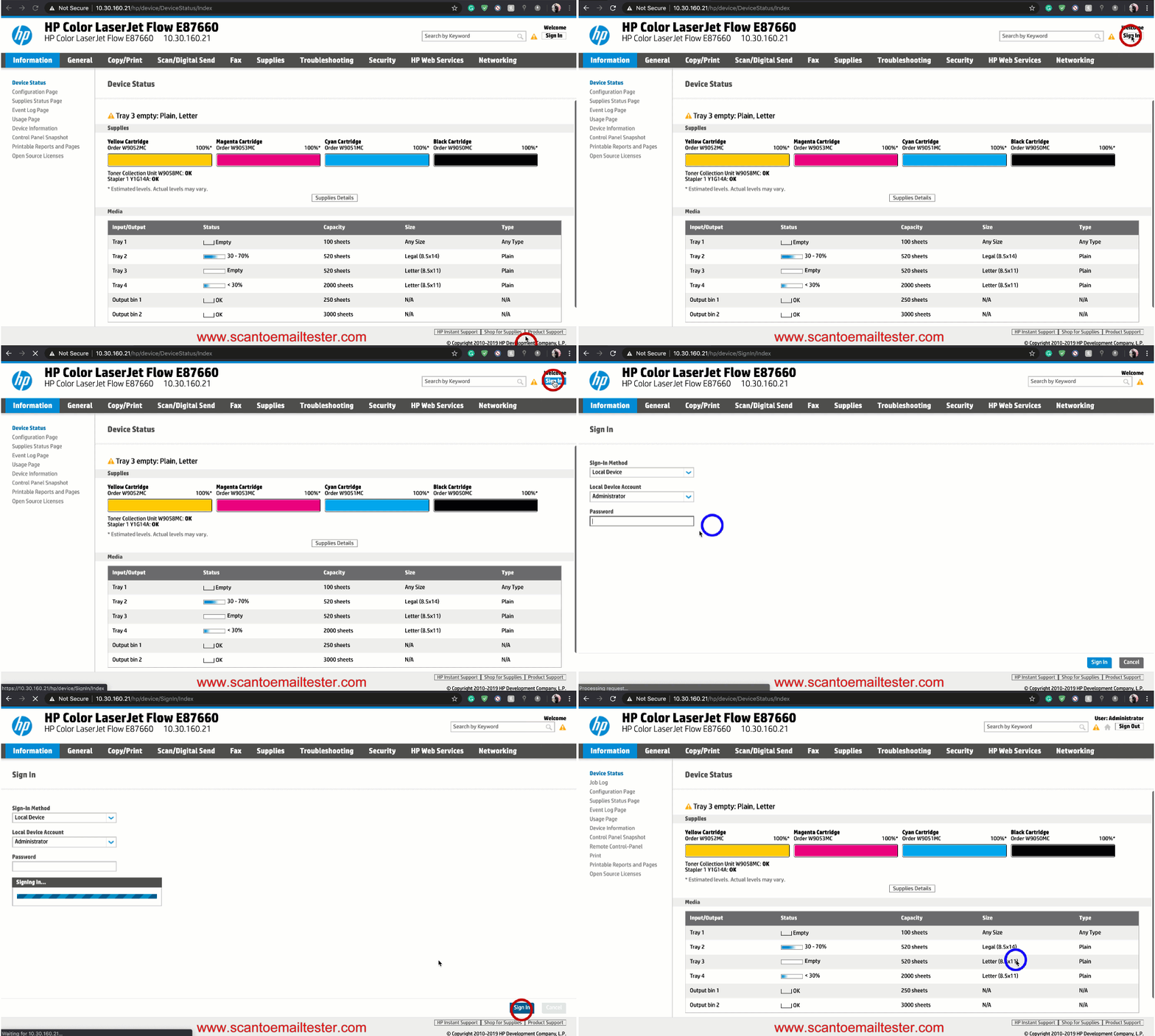
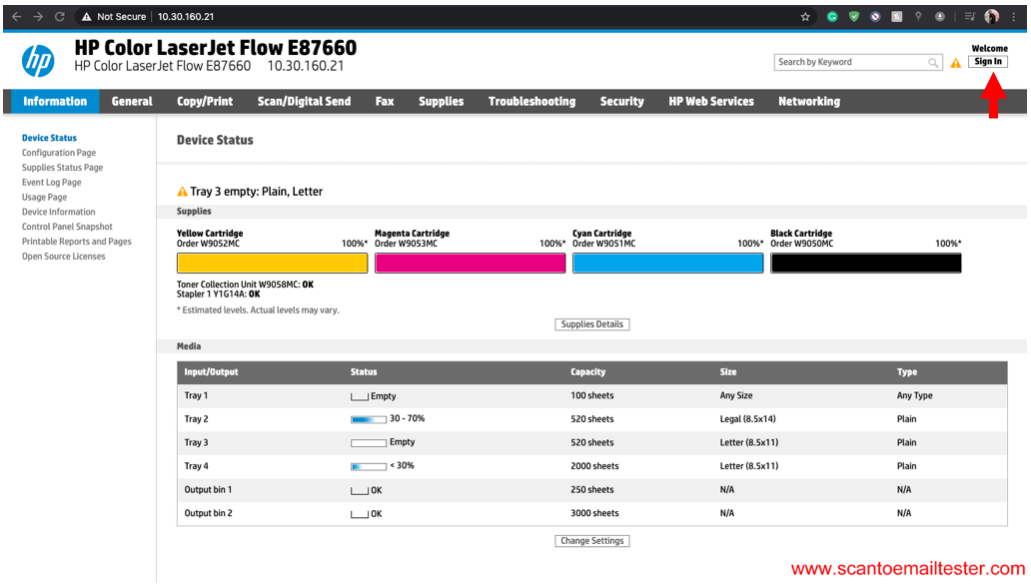
Step 1 Launch the MFP's web interface and login as an admin.
Step 2 Navigate to the email section
Step 3 Enter your email settings and click ok
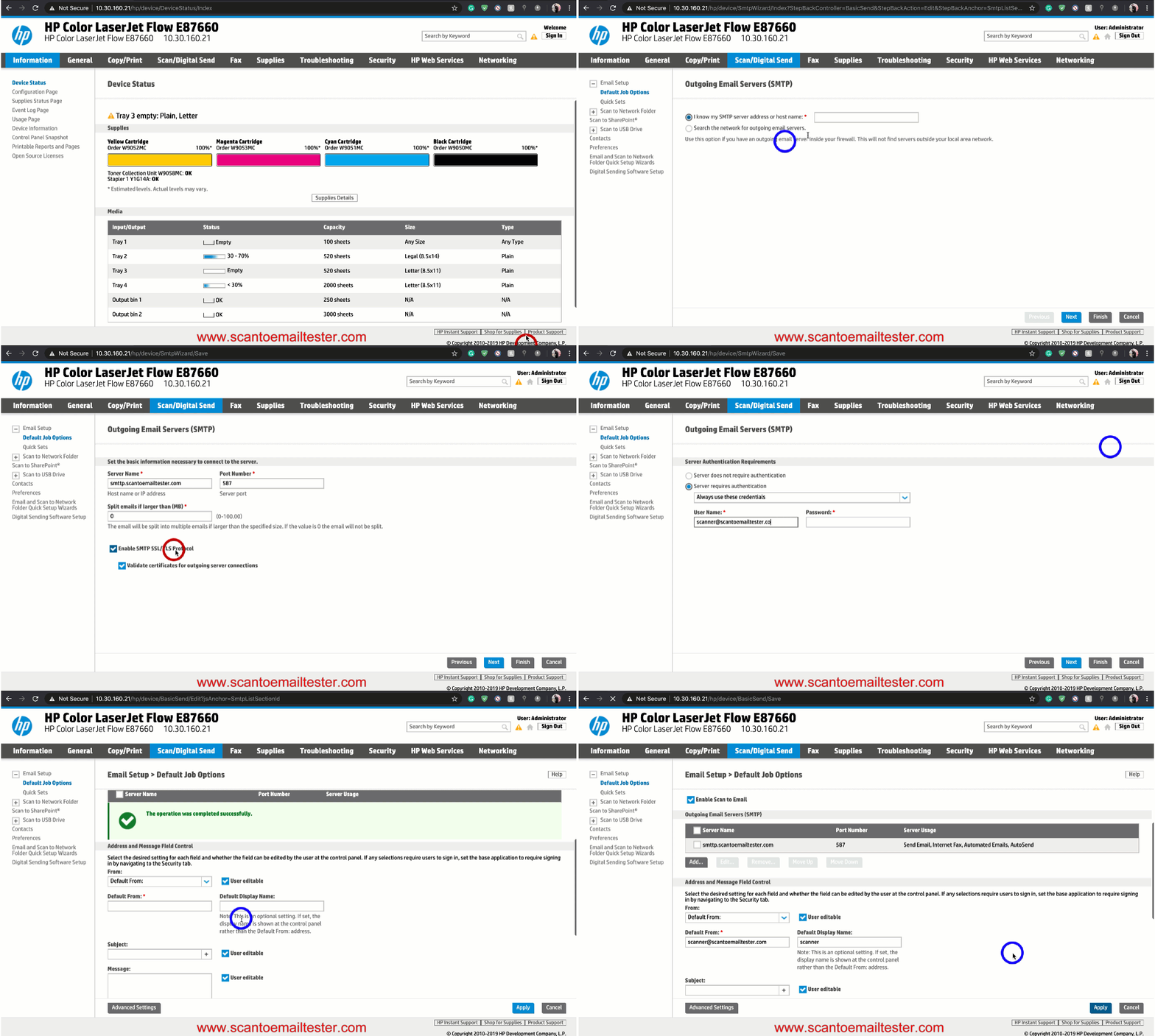
Step 1 Launch the machine's web interface and login as an admin.
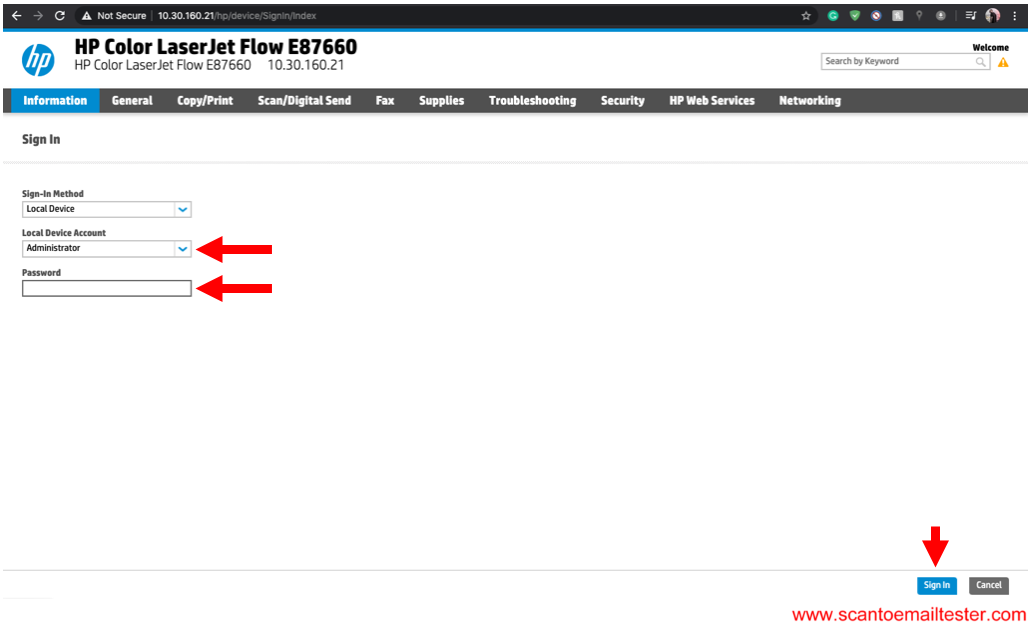
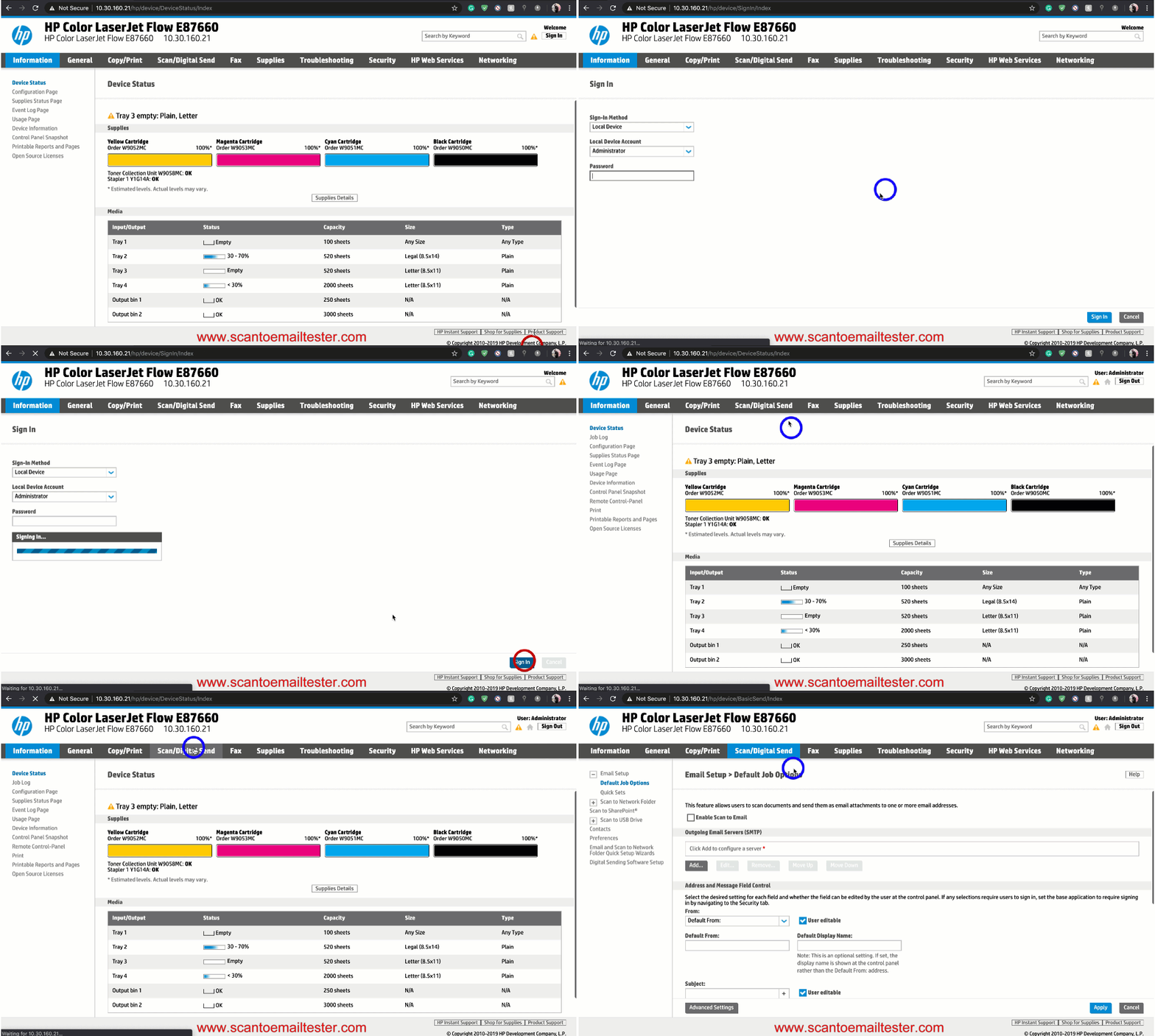
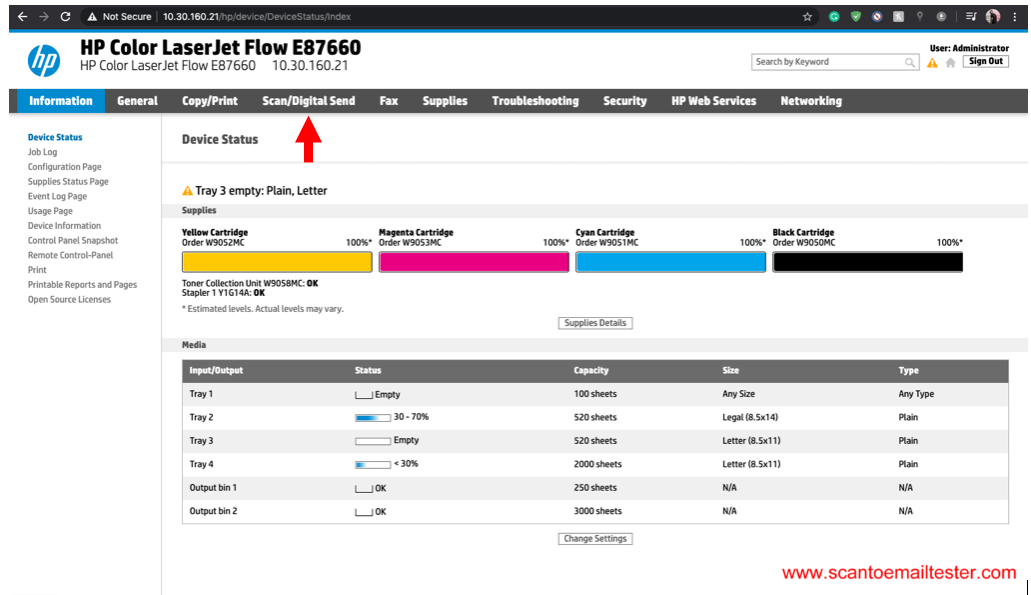
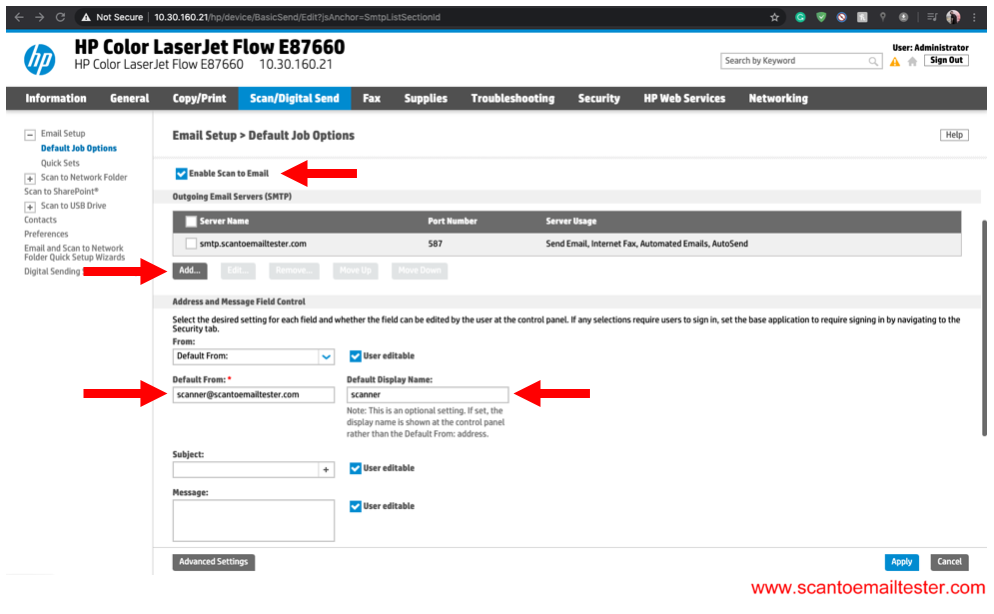
Step 2 Click on Scan/Digital Send.
Step 3 Enable Scan to Email, Enter a Default From email address and Default Display Name. ext click on Add for Outgoing Email Servers(SMTP).
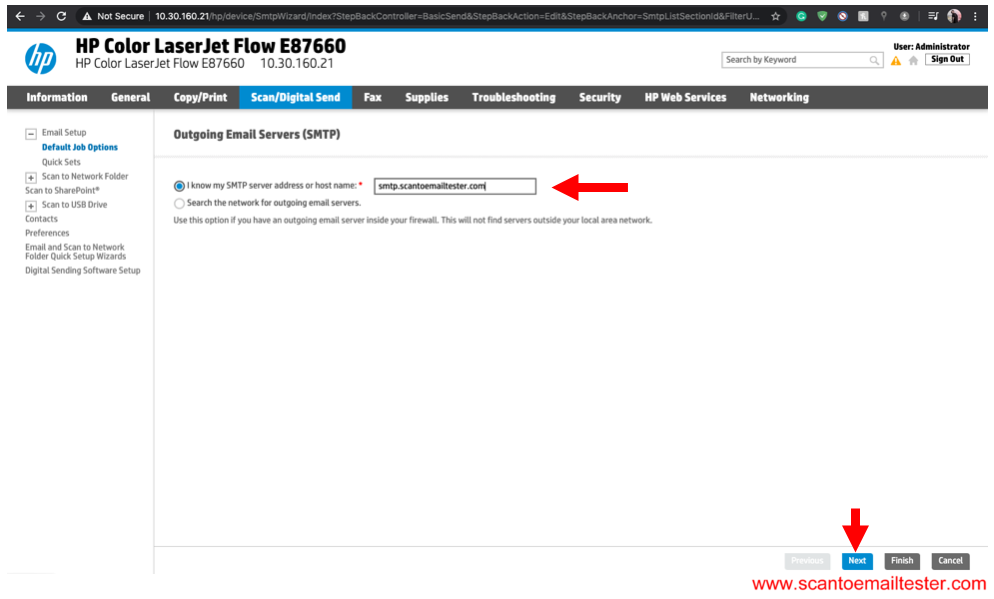
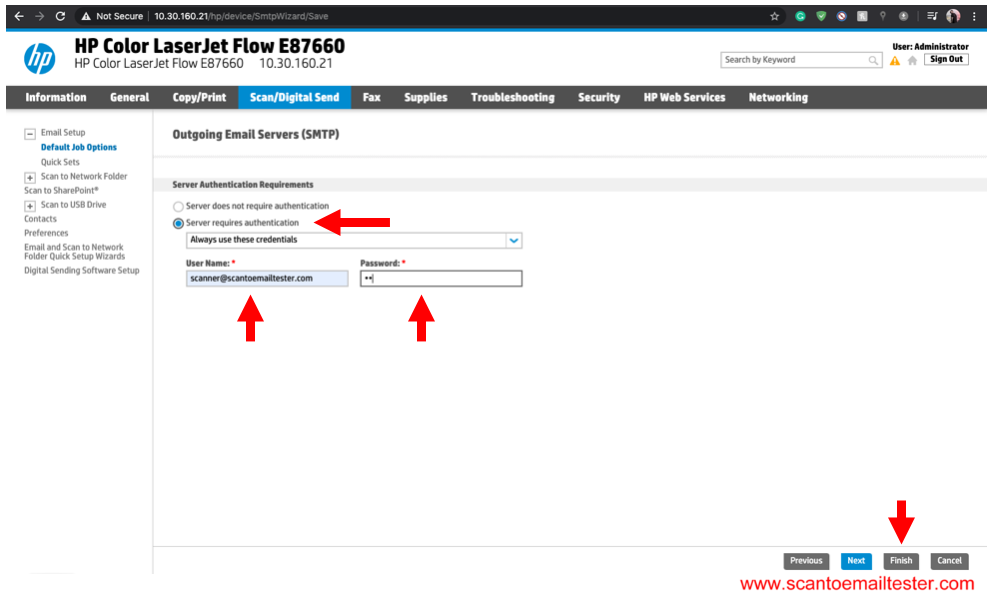
Step 4 Enter your Email Settings.